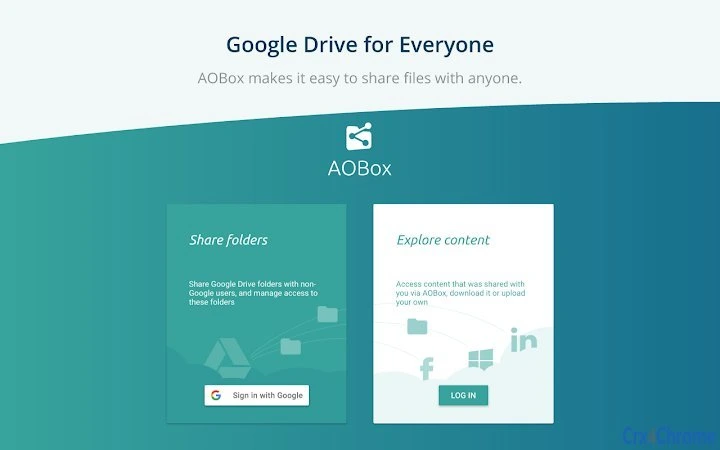

Share Google Drive Folders with Anyone
The software enables users to share Google Drive folders with individuals who do not have a Google account. This functionality simplifies file collaboration across organizations and personal networks where account creation is a barrier. Designed for professionals and teams managing shared workspaces, it supports seamless access to documents, images, and project assets without requiring external logins.
The tool is especially useful for remote teams, educators distributing materials, and freelancers collaborating with clients. It streamlines workflows by reducing friction in sharing, allowing recipients to view or download content directly via secure links. The developer, Google, has a strong reputation in cloud-based productivity tools, ensuring reliability and integration with existing Google services.
Real-world scenarios include sending marketing assets to a client without requiring a Google account, or sharing course materials with students using personal devices. The software operates as a browser-based extension, enhancing accessibility across multiple platforms.
Key Features & Capabilities
- Shareable Links for Non-Google Users – Generate secure, password-protected links that allow access to Google Drive folders without requiring a Google account. This feature is ideal for external collaborators who prefer not to create a new account.
- Flexible Access Permissions – Set viewing, downloading, or editing rights for shared links, ensuring control over how recipients interact with the content.
- Real-Time Collaboration Support – Enable multiple users to access and work on shared files simultaneously, maintaining consistency across edits.
- Integration with Google Drive – Seamlessly works within the Google Drive ecosystem, allowing users to manage shared folders directly from their existing interface.
- Link Expiry and Revocation – Define time limits for access links and revoke them at any time, improving security and data governance.
These capabilities support efficient workflows in educational settings, business environments, and freelance projects. For example, a marketing team can share a campaign folder with a client for feedback without requiring account registration. Similarly, a teacher can distribute a semester’s worth of resources to students using personal devices. The tool maintains compatibility with Google’s security protocols, ensuring that shared data remains protected during transmission and access.
User Interface, Workflow & Performance
The software features a streamlined interface integrated into the Google Drive web experience. Navigation is intuitive, with options to generate and manage sharing links accessible through a single menu. Users can configure permissions, set expiration dates, and copy links with minimal clicks.
The workflow is designed for efficiency, reducing the number of steps required to share content externally. As a browser-based extension, it does not require standalone installation, minimizing system impact. The developer did not specify resource usage details, so performance may vary based on browser load and network conditions.
General software behavior patterns suggest stable operation during typical usage. No reported issues with crashes or freezes were noted in available documentation. The interface remains responsive across different screen sizes, supporting both desktop and laptop use.
Compatibility & System Requirements
Supports Windows and Mac operating systems, ensuring broad accessibility for desktop users. The software version is 1.0.0, with a file size of 15.3 MB, indicating a lightweight deployment. It functions as a Chrome extension, meaning it requires Google Chrome to operate.
Compatibility information was partially provided, with no additional details on specific OS versions or hardware requirements. The developer did not specify exact system requirements. Users should ensure their system meets standard Chrome browser requirements for optimal performance.
No other dependencies were identified. The software is designed to work within the browser environment, reducing reliance on local system resources.
Pros and Cons
Pros
- Enables sharing with non-Google users, removing account barriers
- Secure link generation with customizable access controls
- Lightweight size (15.3 MB) and minimal system impact
- Direct integration with Google Drive for seamless workflow
- Free to use with no hidden costs
Cons
- Requires Google Chrome to function, limiting browser flexibility
- Dependent on Google’s infrastructure and policies
- No offline access capabilities for shared content
- Limited to Google Drive ecosystem, no support for other cloud storage
FAQ Section
Is this software compatible with Mac and Windows?
Yes, the software is compatible with both Windows and Mac operating systems.
Can I share files with someone who doesn’t have a Google account?
Yes, the software allows sharing Google Drive folders with individuals who do not have a Google account by generating access links.
Is the software free to use?
Yes, the software is available at no cost.
Does it require an internet connection?
Yes, the software requires an active internet connection to function, as it operates through the Google Drive web interface.
Can I revoke access to a shared folder after sending the link?
Yes, access links can be revoked at any time, allowing users to maintain control over shared content.
Final Thoughts + CTA
This tool offers a practical solution for sharing Google Drive content with external users without requiring account creation. Its integration with Google Drive, secure access controls, and lightweight design make it a valuable asset for professionals, educators, and freelancers. While it relies on Chrome and Google’s infrastructure, its simplicity and zero cost provide strong value.
The ability to generate time-limited, password-protected links enhances security and flexibility. For anyone needing to share files across user boundaries, this software delivers a reliable, efficient experience. Download Share Google Drive Folders with Anyone now.







